
This feature allows you to upload an existing decision document to automatically extract and populate key decision details into the platform, streamlining the decision-recording process.
Upload a document
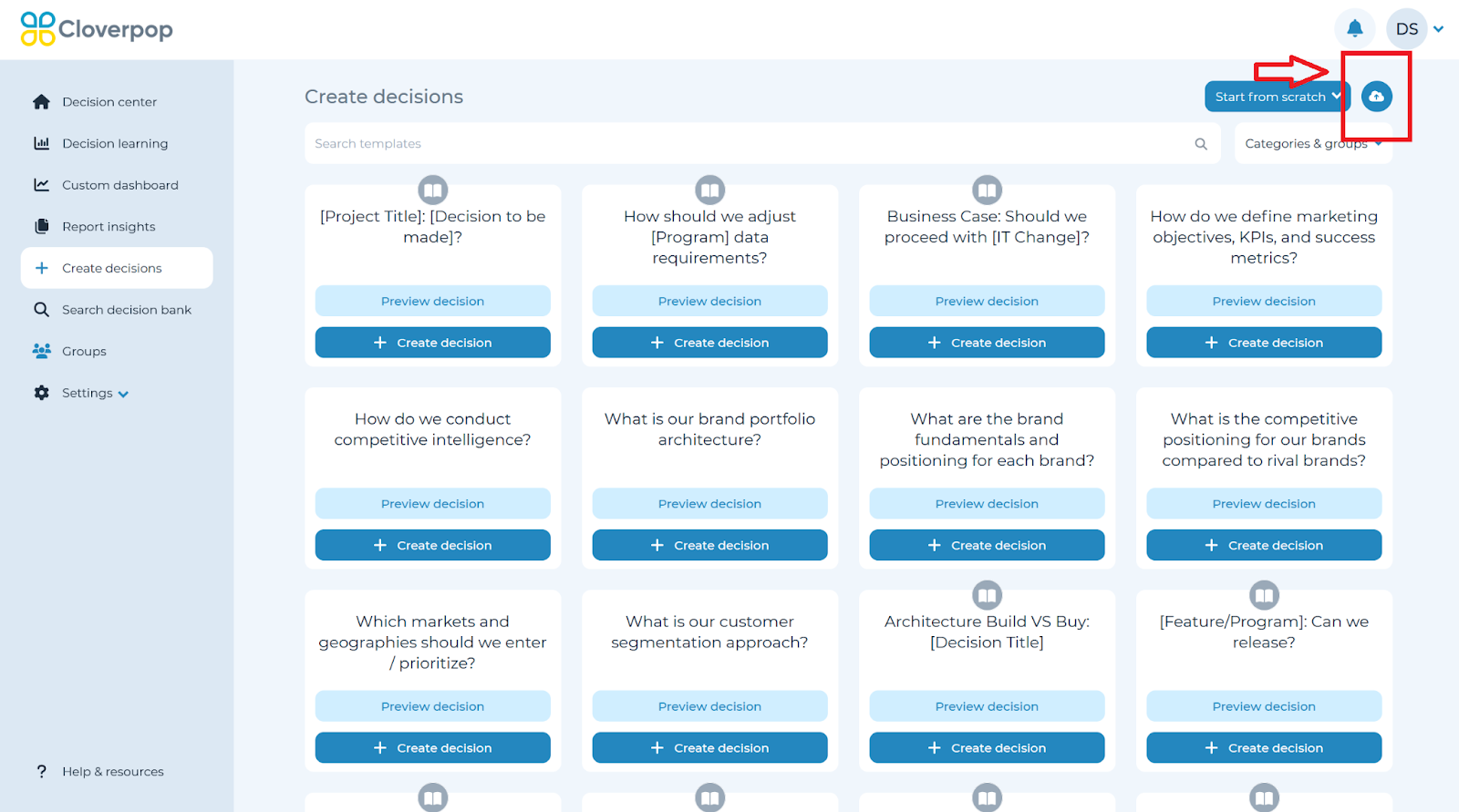
On the ‘Create decisions’ page, click the ‘Cloud’ button in the top right corner. You can select files in DOCX, PPTX, PDF, or TXT formats. If the file exceeds 100MB, an error message will notify you of the size limit.
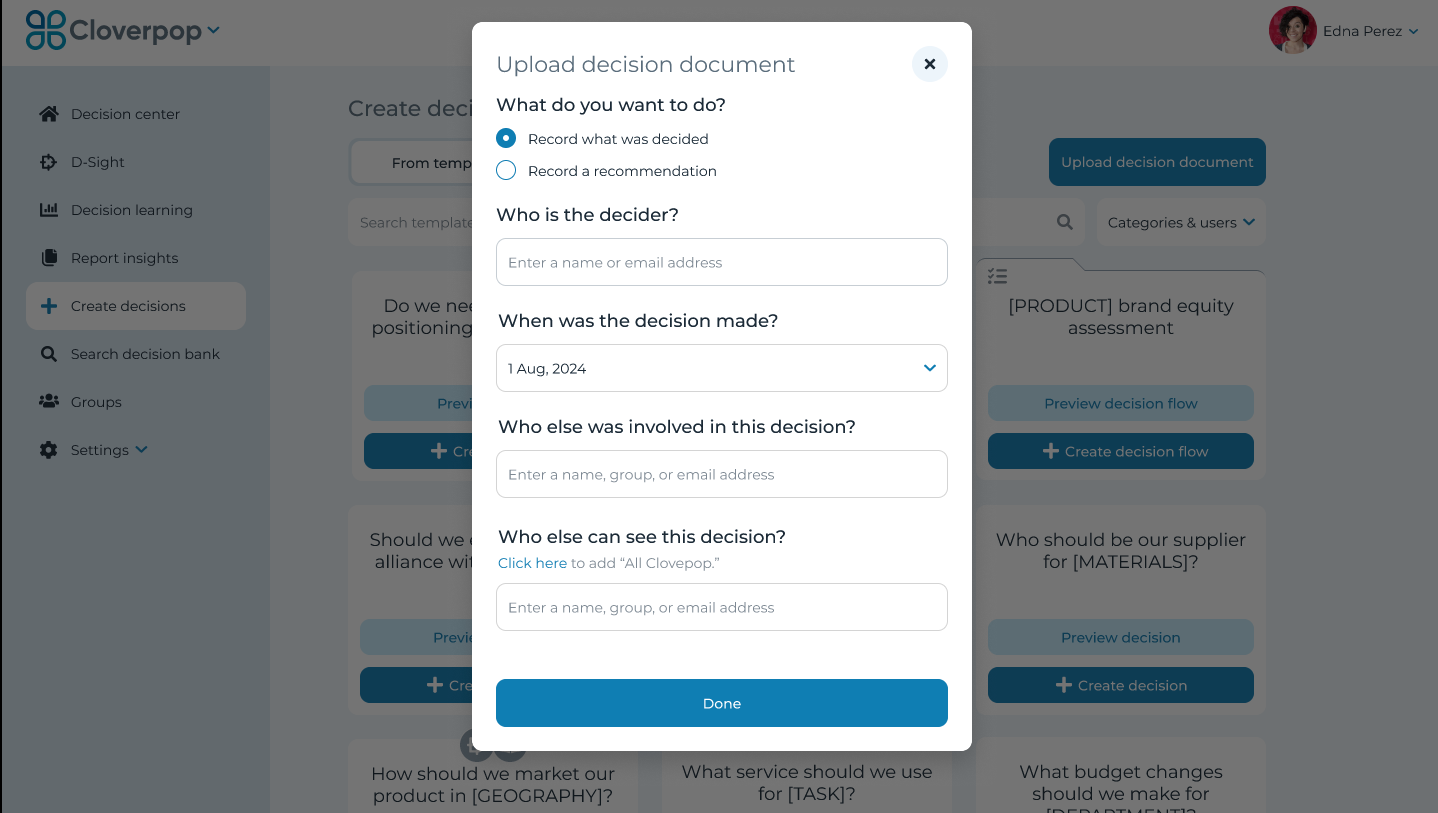
After selecting a document, an upload modal will appear, allowing you to define details such as:
- Whether it’s a decision or recommendation.
- The decision date (defaults to the current date, with a datepicker option).
- Optional collaborators and sharing settings.
Review and Populate Decision Details
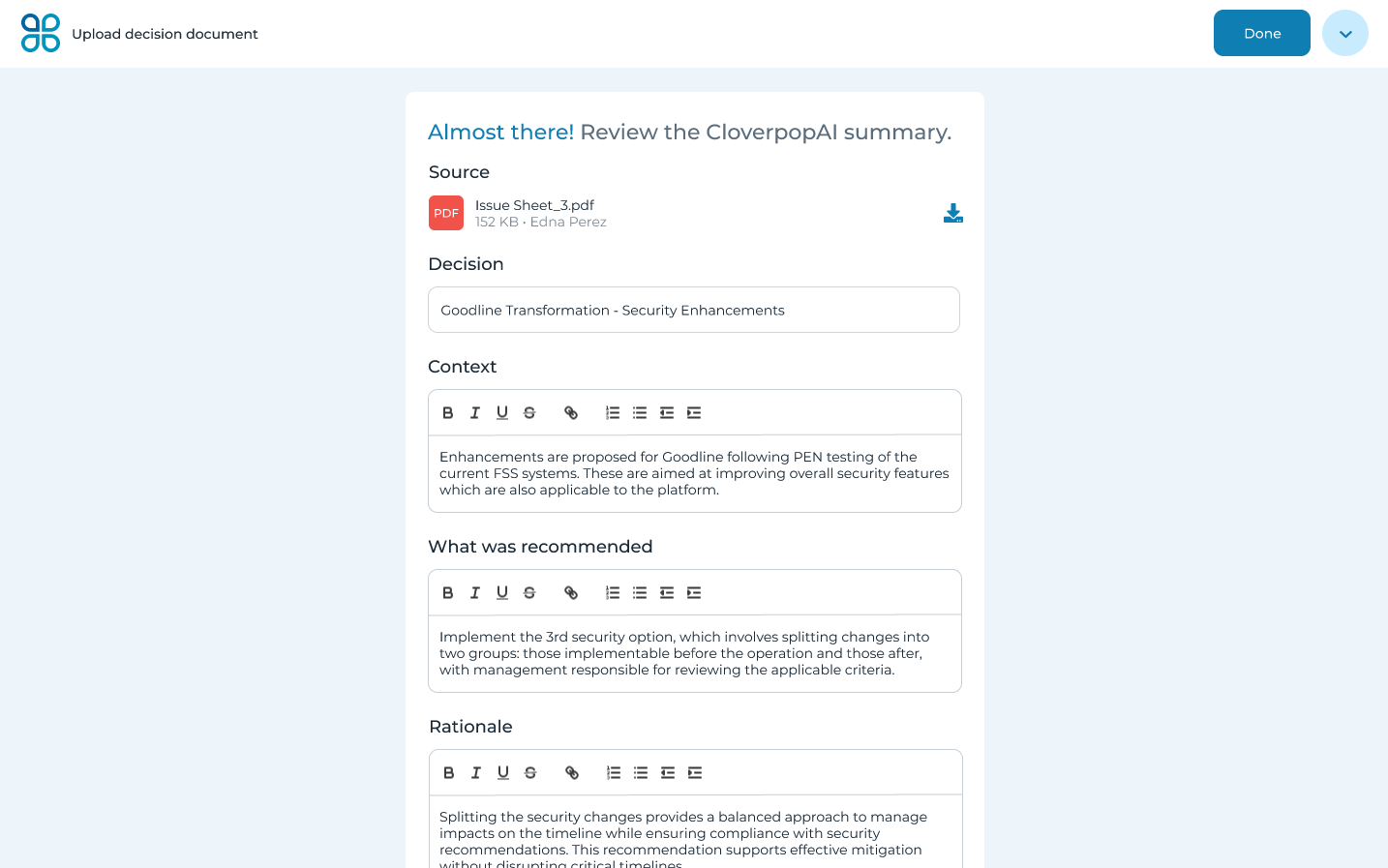
Once the document has been analyzed, the platform extracts key elements, including:
- Title (limited to 100 characters).
- Context of the decision.
- The recommendation or what was decided.
- Rationale behind the decision.
- Other choices considered (each as a separate object).
- Next steps in a bulleted list.
- Expected results.
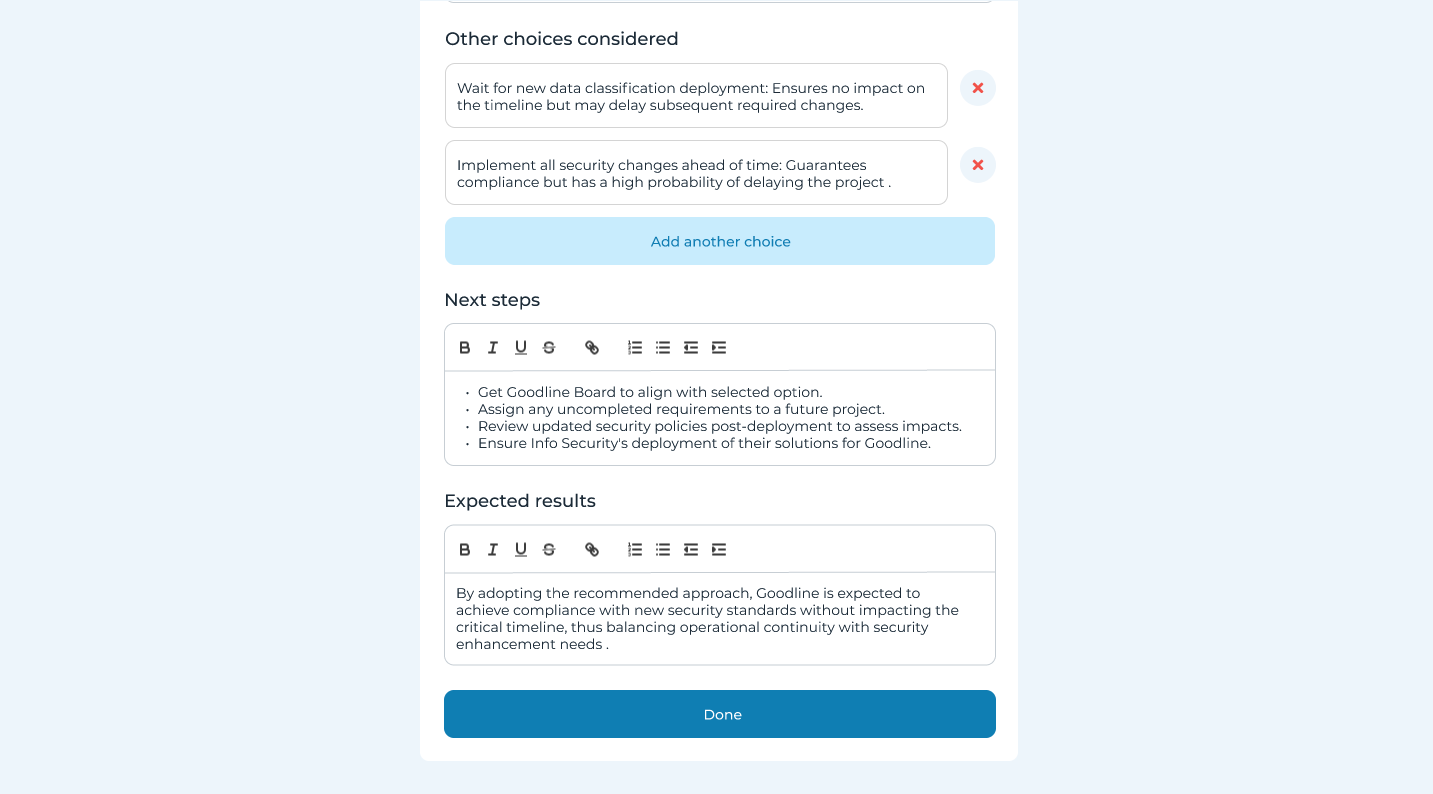
You can save the decision as a draft, complete it, or delete it if necessary. If saved as a draft, you will be redirected to the ‘Create a Decision’ page.
To finalize the decision, click the ‘Done’ button. A notification will be sent to selected collaborators.