
Ratings and weights is a feature to help quantitatively compare decision options.
Setting Up Ratings & Weights for New Decisions
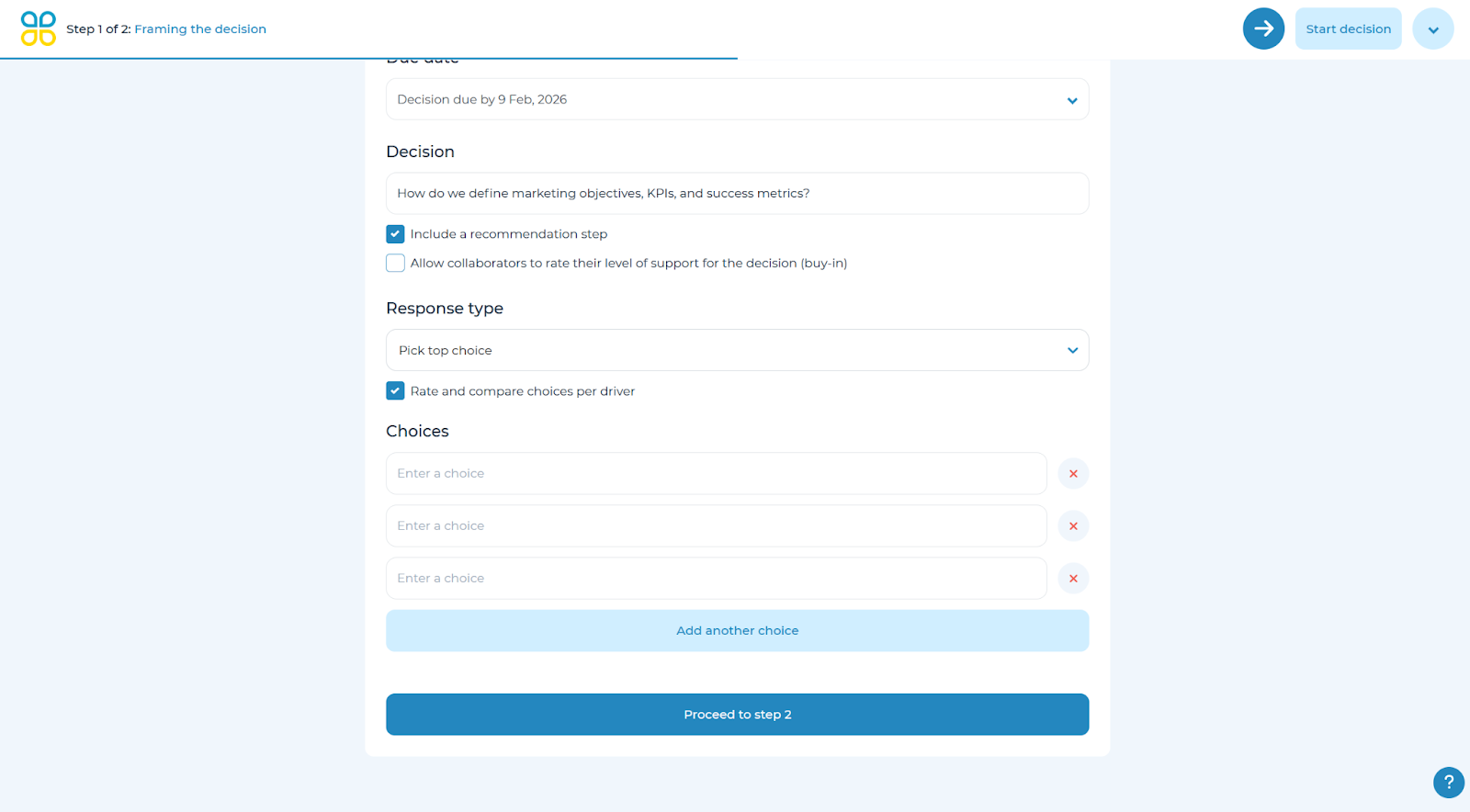
To set up ratings and weights for a new decision, in ‘Step 1 of 2: Framing the decision’ at the bottom of the page, select a response type of either ‘Pick top choice’ or ‘Rank a list’. Next, select the ‘Rate and compare choices per driver’ checkbox. Finally, type in the choices to be included for decision maker selection and add or remove choices as required.
Setting Up Ratings & Weights for In-Flight Decisions
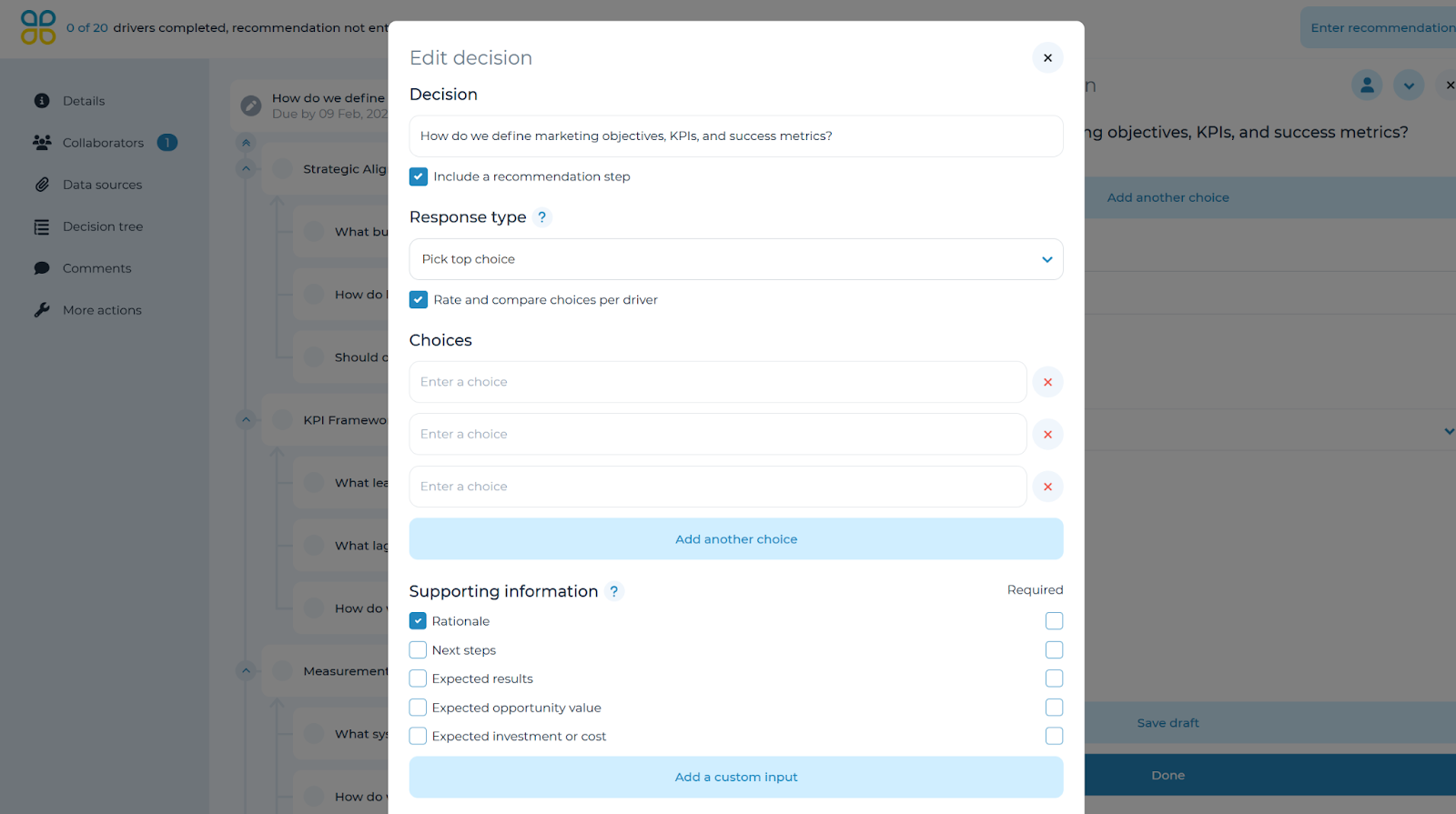
You may also set up ratings and weights for an in-flight decision by clicking on the decision question in the accordion tree to open a panel on the right side. Select the down arrow button in the top-right corner and click on ‘Edit decision’. Check the ‘Rate and compare choices per driver’ option. Note: for this option to appear, the ‘Response type’ must be either ‘Pick top choice’ or ‘Rank a list’. Click ‘Done’ once complete.
Refer to the ‘Adjust answer type’ section of the user manual for more details on how to utilize Ratings & Weights.