
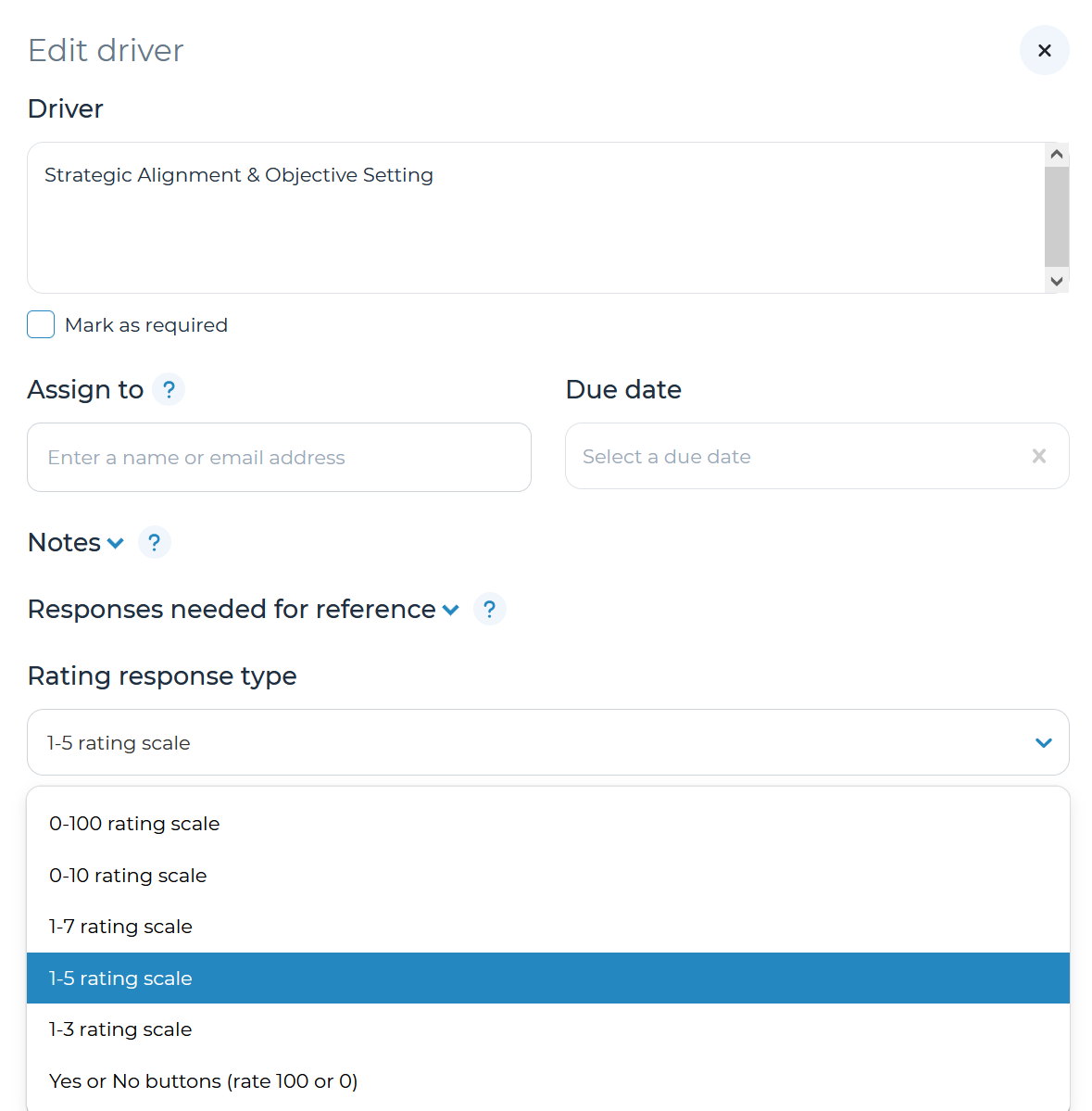
For each driver of the decision tree, you can select a rating response type. This option is accessed by opening the corresponding driver’s panel, then clicking on the down arrow in the top right corner and selecting ‘Edit driver.’ This will allow you to assign scores for each decision choice (e.g., how strong each Vendor is for one decision criteria in a selection process). The options (pictured above) work in these ways:
- 0-100 rating scale: Rate decision choices from 0 (worst) to 100 (best)
- 0-10 rating scale: Rate decision choices from 0 (worst) to 10 (best)
- 1-7 rating scale: Rate decision choices from 1 (worst) to 7 (best)
- 1-5 rating scale: Rate decision choices from 1 (worst) to 5 (best)
- 1-3 rating scale: Rate decision choices from 1 (worst) to 3 (best)
- Yes or No Buttons (rate 100 or 0): Rate decision choice as Yes (100) or No (0)
Note: all ‘rating scale’ response types will allow you to specify the ‘Low label’ (e.g., ‘Worst’) and ‘High label’ (e.g., ‘Best’). This allows a customizable experience to weigh score factors like value potential (lowest to highest) and effort to implement (highest to lowest) differently. Cloverpop recommends the 1-3 rating scale and Yes/No for most use cases to simplify the evaluation process.
Refer to the ‘Create adjustable driver weights’ section of the user manual for more details on how to utilize Ratings & Weights.