
Preview / Start decision flow from template
Decision flows help to group complex decision processes with groups of decisions to be made all informing one overarching objective.
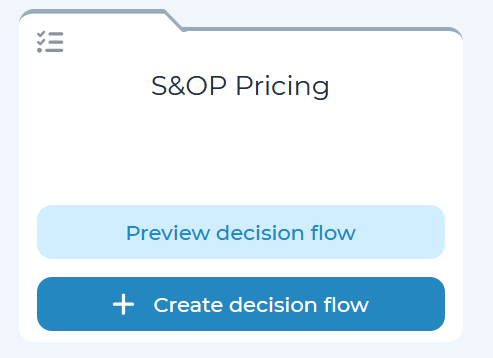
Templated decision flows will be indicated by a folder icon on the Create decisions page.
Click ‘Preview decision flow’ to see a preview of the decision flow. To view a specific decision template within a decision flow, click ‘Preview decision.’ Once ready to start a decision flow, click ‘Start a decision flow’ in the top-right corner. Note: you will have the ability to fully customize the decision flow using the setup wizard, even after creation.
Start a decision flow from scratch
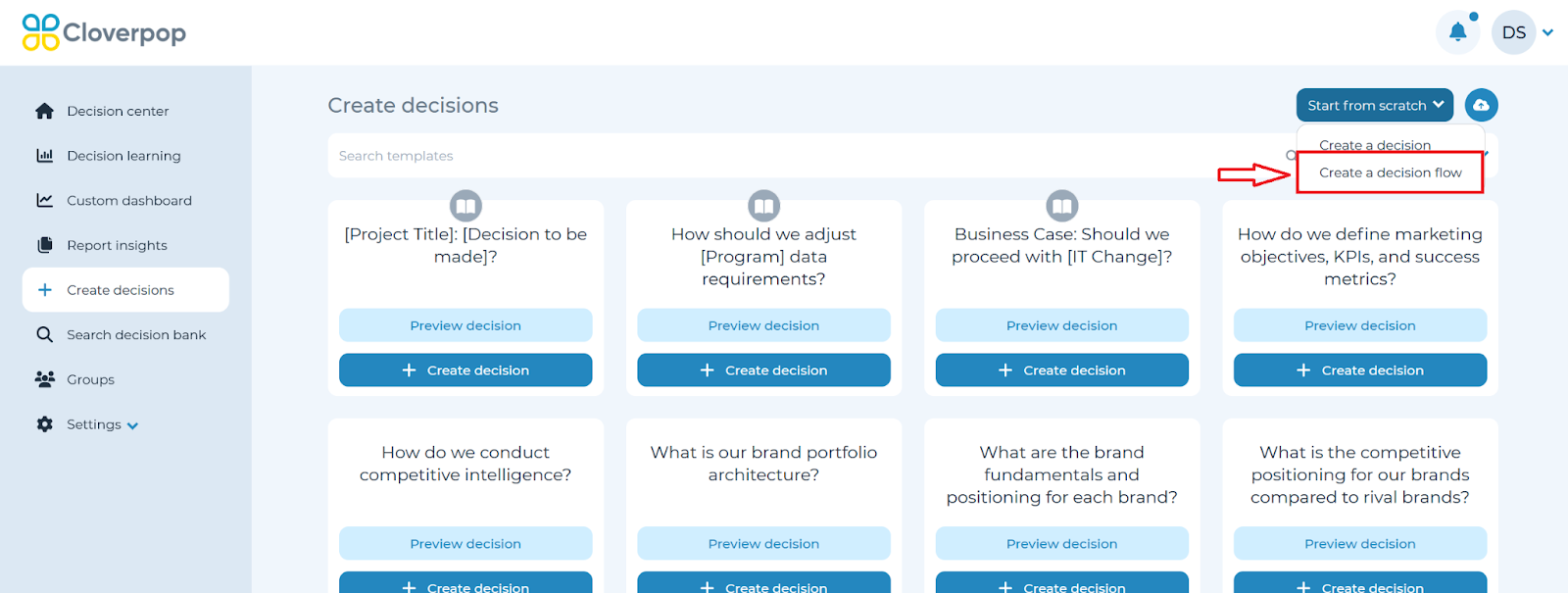
Click ‘Create a decision flow’ from the dropdown in the top right of the Create decisions page to launch a pop-up window and activate the flow.
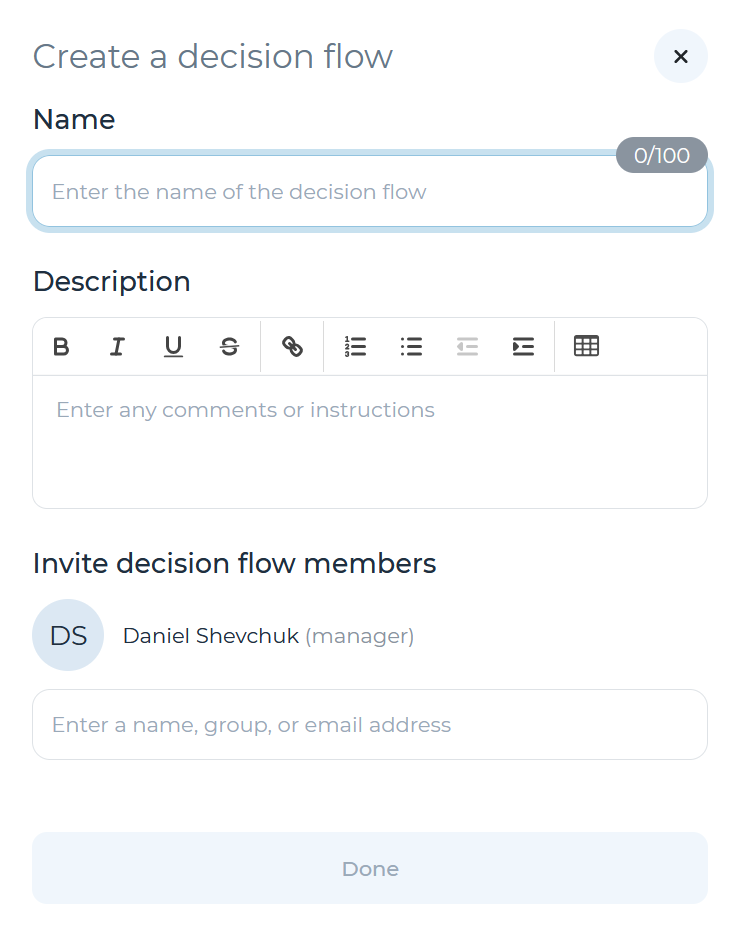
You can adjust the name of the decision flow and enter comments or instructions in the ‘Description’ field. You may invite any team members who will be involved in the decision flow at this time. Click ‘Done’ once ready to proceed with the decision flow. Note: you will also be able to add collaborators for an in-flight decision flow.
After starting a decision flow, you may refer to the Edit a decision flow section of the user manual to proceed.