
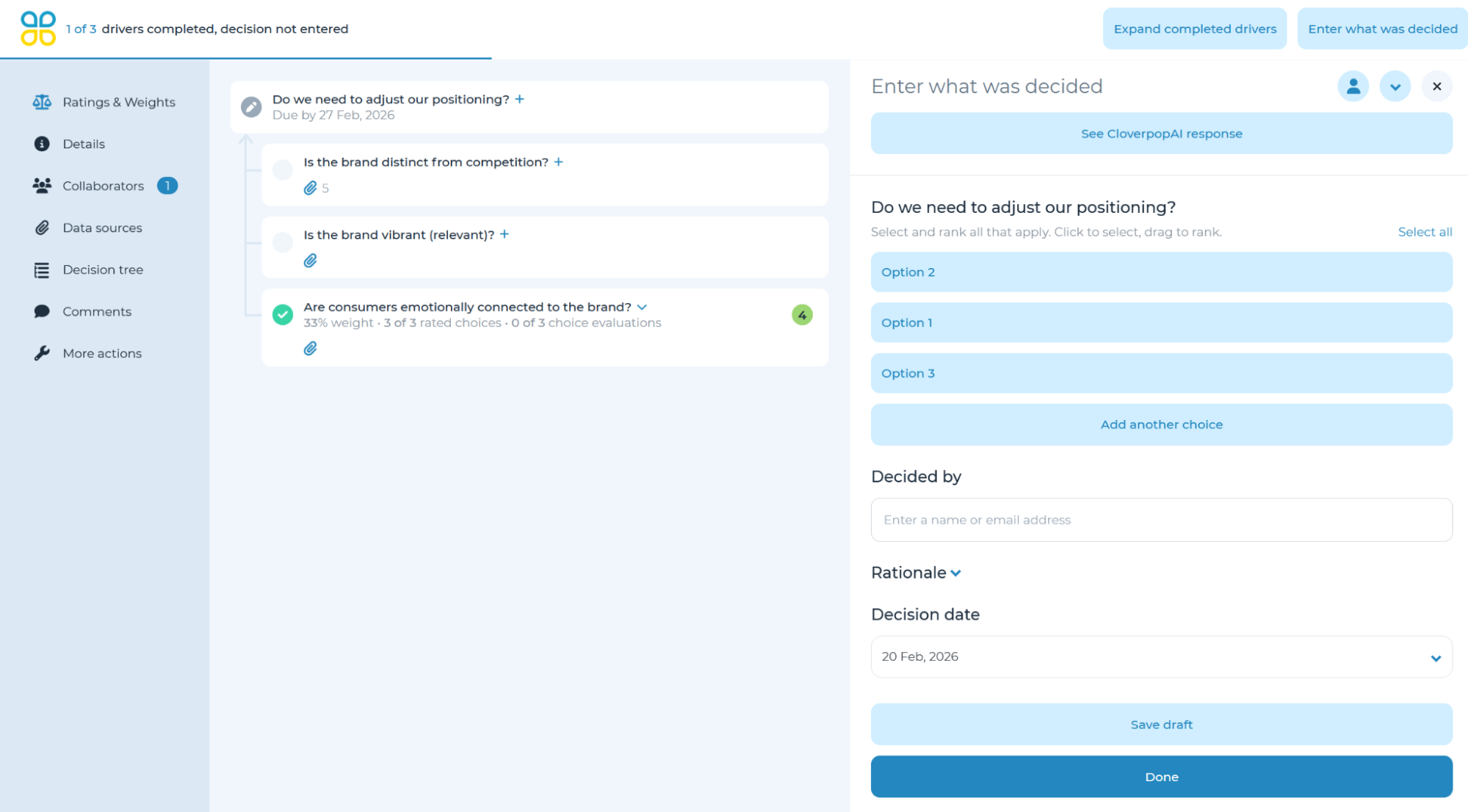
To enter a decision, click ‘Enter what was decided’ (or ‘Enter recommendation’ if there the recommendation step is enabled for the decision) and submit your decision using the guidelines provided. To guide the decision entry, you may simultaneously open the ‘Ratings & Weights’ panel by clicking the icon on the left side navigation menu.
When you enter a decision, choices will be in the same order as they are listed in the ‘Ratings & Weights’ panel. By default, no choices will be selected. You may select the desired choice by clicking on it. If the decision manager would like ranked responses, the order in which you click on each choice will determine the default order they are ranked. To adjust, simply drag and drop choices to rank in the desired order.
After you have identified the decision, you may type the ‘Rationale’ and enter any next steps, expected results, value, or cost as relevant. Note: all fields except for the recommendation/decision are optional. As a best practice, we recommend providing a rationale for ease of review.
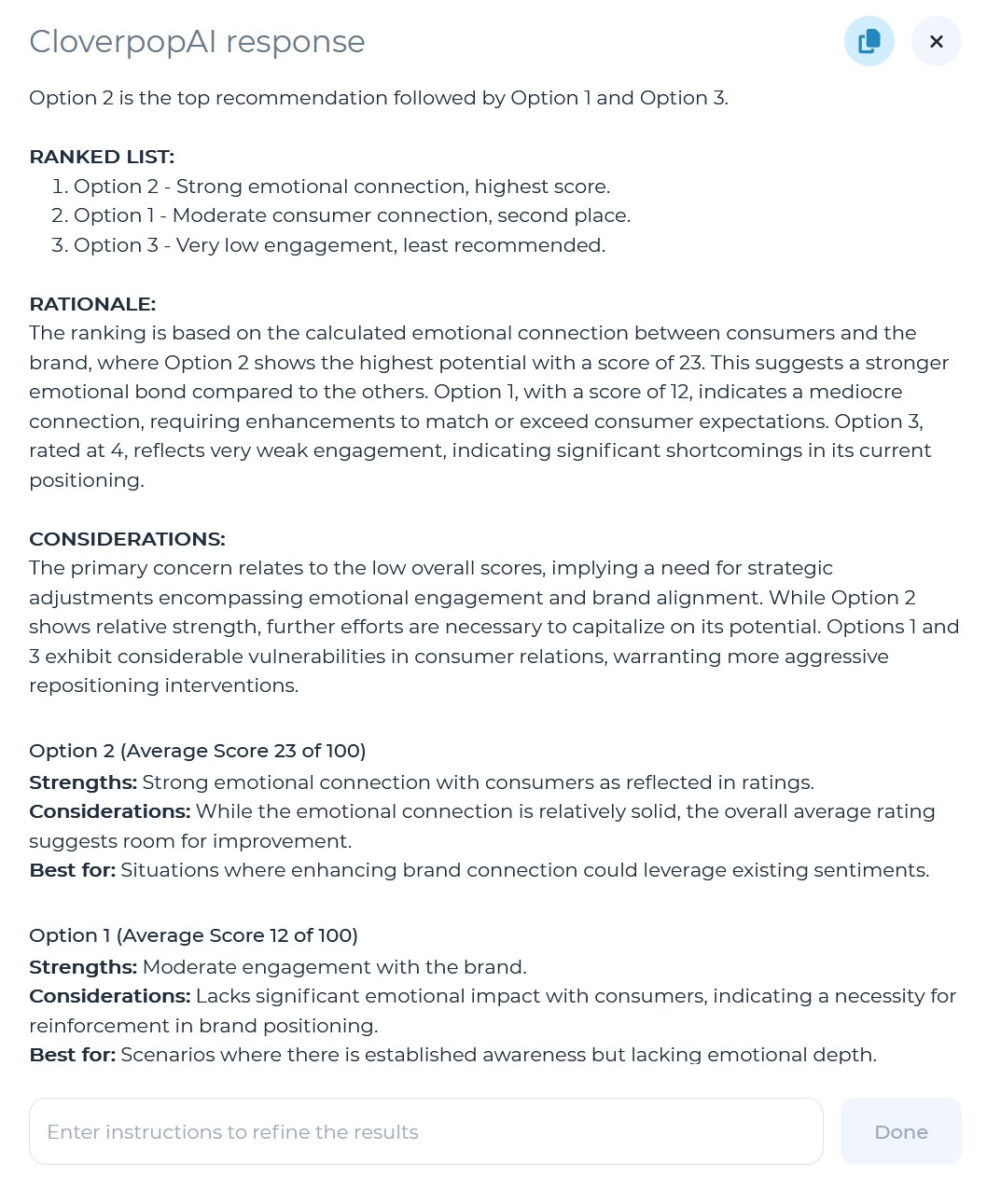
Additionally, you can select ‘See CloverpopAI response’ to generate a recommendation based on the contributing drivers.
You can also use the ‘Complete Drivers with CloverpopAI’ option from the ‘More actions’ panel in the left navigation menu in order to fill in any missing drivers if enough data sources have been added for CloverpopAI to make an informed recommendation. For more information on using CloverpopAI, see the Summarize Drivers page of the CloverpopAI manual.