
Entering decision results
To enter the decision’s results, click ‘Enter what was decided’ in the top-right corner of the decision’s home page, or the identically named button on any recommendations (if recommendations are enabled and have been made by contributors)
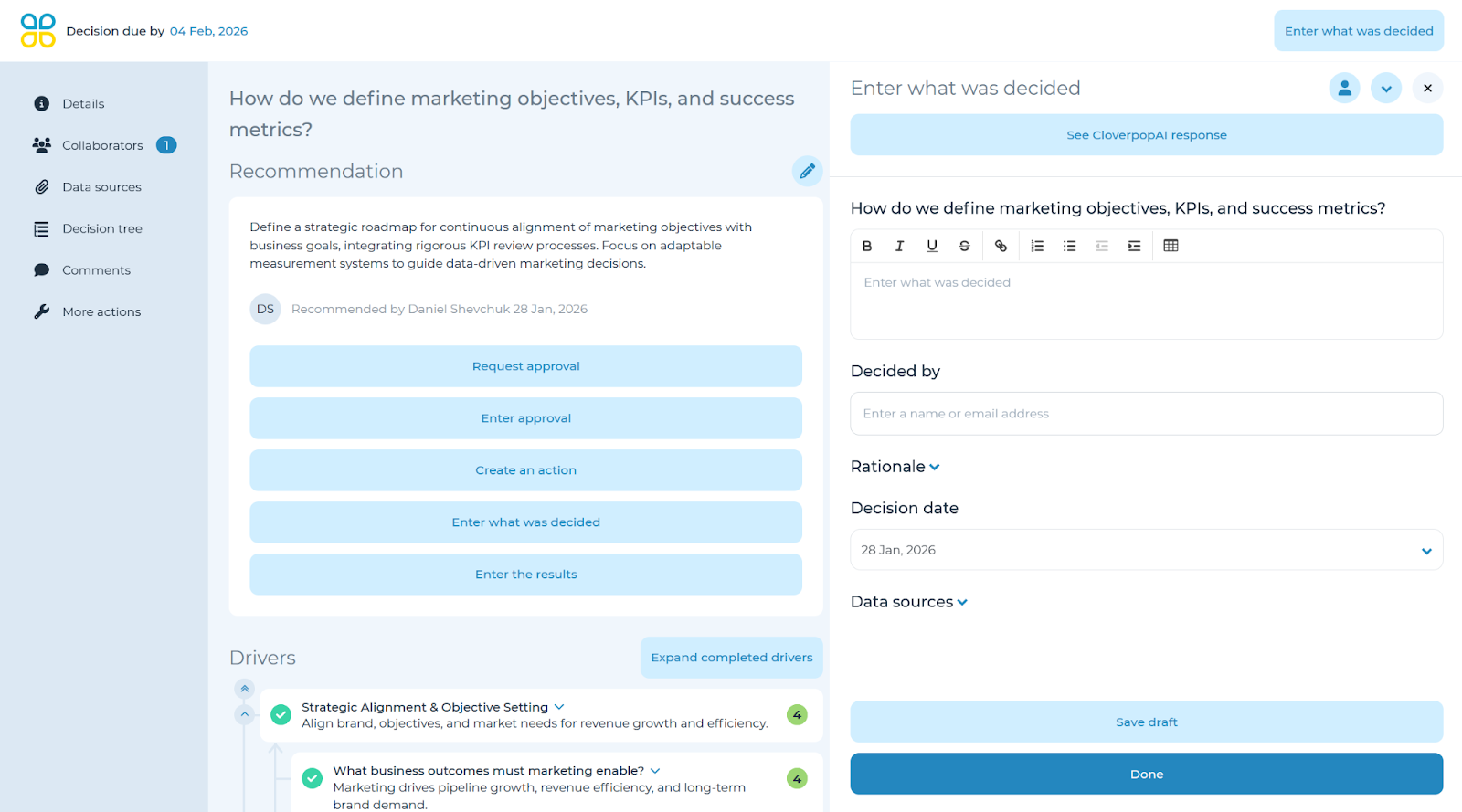
First, rate how the results compare to your expectations (1-5; much worse-much better). Next, indicate if the final decision changed. Lastly, describe what happened after the decision and any key learnings. You may enter realized value and cost if these options are enabled within the ‘Edit decision’ arrow drop-down. Click ‘Done’ once complete.
Following up on results
Following up on results allows teams to quickly reference outcomes for historical decision processes within the decision bank.
By default, six weeks after a decision has been completed in Cloverpop, it is time to follow up. At this time, the decision will appear in the ‘Decision center’ page under the ‘Follow up on results’ section for the decision manager. You can click ‘Enter the results & actions taken’ to begin the process.
Adjusting the follow-up date
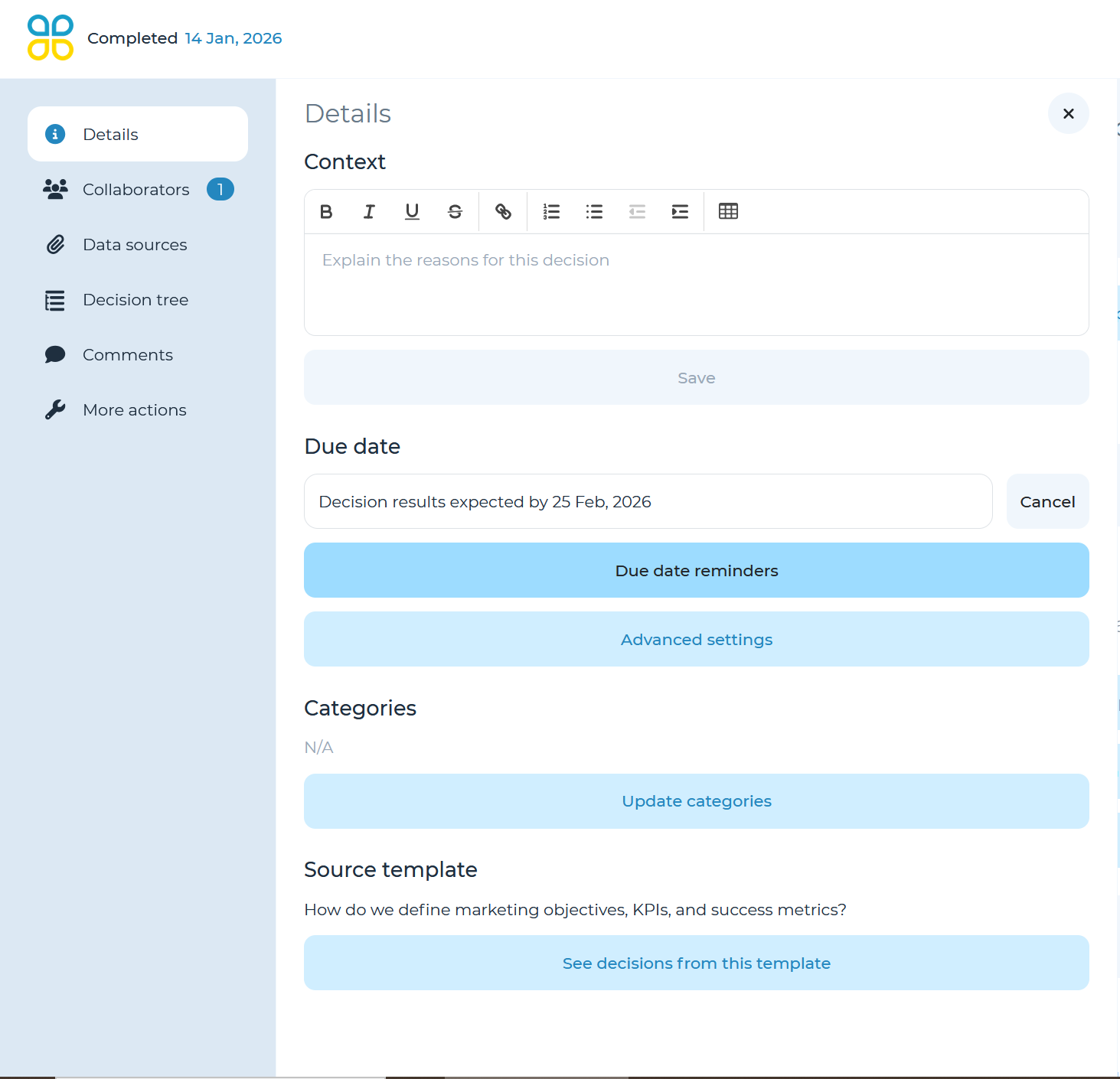
If you wish to accelerate or prolong the follow-up process, you can adjust this using the date in the ‘Due date’ field. First, click ‘Details’ in the left side navigation panel. Next click ‘Decision results expected by __’ to launch the calendar pop-up and select your desired date. Click ‘Done’ to save the new follow-up date.