
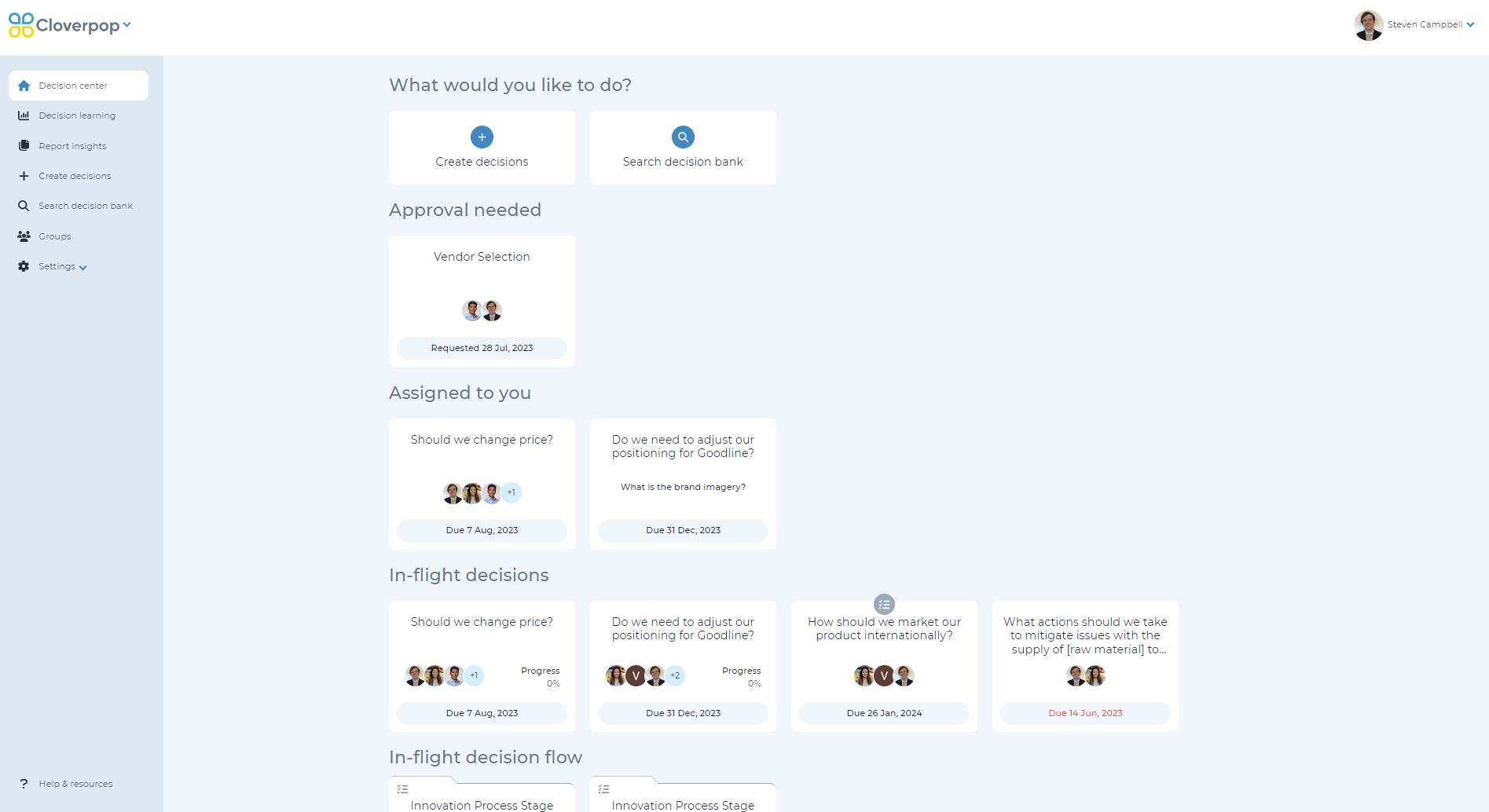
The Decision Center is your personalized dashboard. You can create a new decision, work on assigned drivers, view in-flight decisions, and follow up on decision results. Decisions have due dates to help manage timelines.
From the home screen, you can also navigate to your decision bank to view all historical decisions.
Approval needed
Decisions where your approval is needed are listed in the decision center. These are decisions that were completed by the team but require approval. Once you provide approval, the tile will be removed from the Approval needed section of the decision center. You will also receive notifications via the preferred method in your profile settings upon approval being requested.
Assigned to you
The assigned to you section shows assigned decisions, recommendations, and drivers. Assigned decisions and recommendations are shown with a single header and the due date for the recommendation or decision. Assigned drivers are questions that have been assigned to you to complete within a decision or recommendation. These are displayed with the decision or recommendation title, followed by the driver question and the date which the driver is due on.
Complete assigned decisions, recommendations, and drivers by clicking on the tile and providing answers in the designated panel. Once the driver is complete, the tile will be removed from the Assigned to you section of the Decision Center. You will receive notifications via the preferred method in your profile settings on the day that your assigned items are due.
In-flight decisions
In-flight decisions are active decisions that you are a collaborator on. If you click on an in-flight decision tile, it will direct you to the decision tree. In-flight decisions will have due dates for when the decision needs to be complete.
In-flight decision flows
In-flight decision flows are a group of decisions to answer a bigger question or facilitate a process. In your decision center, active decision flows will appear here if you are a collaborator for the decision flow.
Follow-up on results
Completed decisions show up in this section when results are due.
By default, result follow-up dates are set for six weeks after the decision was made, but you can adjust the result due date as necessary.
When entering the result, you will be asked whether the final result changed, how results compared to expectations, and learnings from the decision.