
Analyze ratings & weights
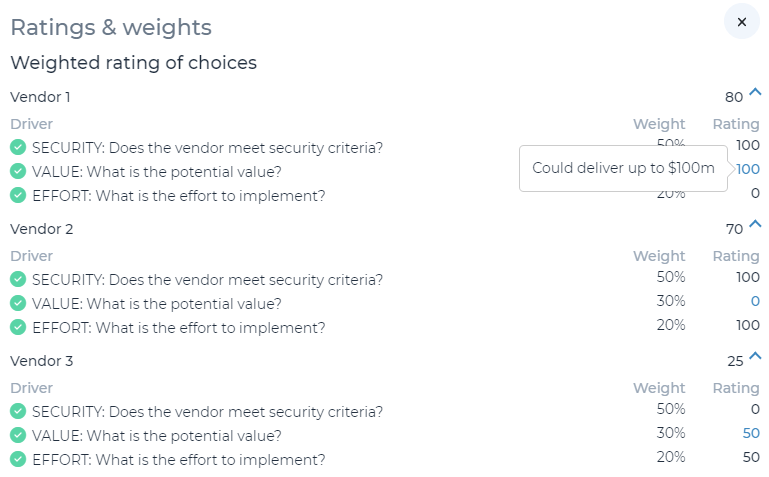
Once you have set up ratings & weights, adjusted answer types, created driver weights, and answered questions: you are able to analyze weighted ratings for each choice. The weighted rating is a weighted average of the ratings provided for each choice within each decision driver.
To navigate to this page, click ‘Ratings & Weights’ on the left side navigation menu. You may click the down arrow symbol next to each decision response to see a breakdown of its rating. Using the example above, Vendor 3 received a weighted rating of 25 after receiving a 0 rating for security (50% weight), 50 rating for value (30% weight) and 50 rating for effort (20% weight).
Note: any choices (e.g., vendors in the above) with details entered to justify the ratings provided will include a blue hyperlink to allow users to click and view the justification.